Tuesday, May 10, 2016

ASP.NET Core day - BDotnet

Another month, another BDotent community event, but this time it is on latest ASP.NET Core technology and a full day event.
We are not going to miss it. :)
For me all the BDotent events are about getting to know the gist of the topic and leave with enough enthusiasm to explore the remaining details.
One more big thing is Networking, It is always pleasure to meet and know the fellow developers and to share the information on what type of applications we work on, and what all the tools & technologies we are using.
(This time met some of the old buddies, and also made some new friends.)
Overall, it's mainly the experience of being present at the event.
As usual, all the speakers are wonderful in sharing their knowledge, and their enthusiasm conveys us the most. All the topics are very well chosen, like connecting the dots to get the overall picture on the ASP.NET core.
Thank you for all the awesome speakers, and the organizing committee.
It was wonderful to witness the house packed sessions.

My key takeaways from the event are,
  1. As there is an another new framework is out, we shouldn’t jump in and start using it for all kind of applications. We first need to understand our application use cases, then evaluate the options to take the decision.
  2. ASP.NET (Web forms) framework is not going any where. It is very much supported. New features will still be coming out for this. There are lot of application, which are running on ASP.NET framework. (I had a big doubt on the ASP.NET web forms support, glad that it is clarified.)
  3. ASP.NET Web forms is not supported in ASP.NET core. It is very much dependent on System.Web.
  4. POCO controller are very much useful when we do not require all the features from BaseController.
  5. In new framework, Dependency Injection is already integrated, But if require, we can very much plug in any of the third party DI containers.
  6. New web server (Kestrel - cross platform) written from the scratch, for the .NET core.
  7. RC2 is going to be out in mid May, and RTM is going to be released by June end.
  8. Cloud born applications.
  9. Tag helpers, more cleanness, more readability.
  10. ASP.NET core more of modularized, empty project means it’s clearly empty. Whatever we want, we need to add it.
Volunteer : It was my pleasure to help the event in a very small way (being part of the registration process). Thanks Lohith for the opportunity.
some pics,

Wednesday, June 3, 2015

Using statement in C#


using:

Using block/statement is used to free unmanaged resources.

Using statement is translated to three parts,
  • Acquisition
  • Usage
  • Disposal
This resource is first acquired, then the usage is enclosed in a try statement with a finally clause. The object then gets disposed in the finally clause.

using (MemoryStream objStream = new MemoryStream())
{
    objStream.WriteTo(Response.OutputStream);
}

this code gets translated to

MemoryStream objStream = new MemoryStream();
try
{
    objStream.WriteTo(Response.OutputStream);
}
finally
{
    if(objStream !=null)
       ((IDisposable)objStream).Dispose();
}


Objects that implement IDisposable can be used in a using statement. Calling Dispose() explicitly (or implicitly via a using statement) can have performance benefits.

"Code that is using a resource can call Dispose() to indicate that the resource is no longer needed. If Dispose() is not called, then automatic disposal eventually occurs as a consequence of garbage collection." - MSDN

In the below code we can observe the following points,
  • If we use using block along a Customer type, it give a compiler error, saying that "type used in a using statement must be implicitly convertible to 'System.IDisposable'".
  • Same if use with Student type, it does not give any error, because it implements System.IDisposable interface.
Sample code -

foreach loop in C#


foreach:

It repeats a group of embedded statements for each element in an array or an object collection. By a collection, we mean any class, struct, or interface that implements the IEnumerable interface.

foreach gives read-only access to the array contents, so we can not change the values of any of the elements.

Only forward iteration is possible in for-each loop.

The condition to work with IEnumerable objects is that the underlying collection must not change while you are accessing it. You can presume that the Enumerable object is a snap shot of the original collection, so if you tries to change the collection while enumerating, it will throw an exception. However the fetched objects in Enumeration is not immutable at all.

Since the variable used in foreach loop is local to the loop block this variable is however not available outside the block.

In the below code we can observe the following points,
  • If we try to modify the foreach iteration variable either primitive type (int) or a user defined class (Customer), we get compile time error.
  • If we try to add/remove any item from the collection, we get run time exception.
  • We can always modify the object properties (Name property in Customer type), which are not immutable.
Sample Code-

Sunday, March 8, 2015

My first end to end (MVC) project

In my 4+ years of career, i had not got chance to work on a project from scratch. Till now whichever project i worked on, all are development but for each one of them there was a base already setup.

Last November got a chance to work on a project from start to end. It was a good chance where i got the opportunity to involve in discussion with business analyst, architecting the application, and designing the database.

We were three developers, no one had previously worked on ASP.NET MVC technology. But i had a little experience & knowledge on the concepts. We got a tight deadline to develop the application in MVC. Anyway we were waiting for get hands on experience on MVC. So, when this opportunity given to us, we grabbed it, and we committed to deliver it on time.

Totally it was around 4 months, we scratched our heads, stretched our times, daily i used to come home with some technical challenge. Used to sit whole night & find some solution, then next day implementing it after going to office. Sometimes felt like was not going anywhere, we had no technical architects to guide us, we stretched ourselves  but enjoyed the journey very much.

At last successfully deployed the application in production on last Friday (06 Mar 2015). It was a wonderful journey through out.


Monday, November 17, 2014

My Favorite Technical (.Net & Other) reading list - 2

In this post, i am mentioning the list of my favorite technical articles, blogs, websites and videos,

Articles:


Truly understanding viewstate : This article explains everything you want to know about viewstate in ASP.NET.

A low-level Look at the ASP.NET Architecture : This is little outdated article, but still can learn a lot about internal workings of ASP.NET architecture.

ASP.NET Application Life Cycle Overview for IIS 7.0: Very good MSDN article about whole application life cycle.

ASP.NET Page Life Cycle Overview: This one is the best to understand page life cycle flow & events. again this is also from MSDN.

Developer Tool list for windows: In this Hanselman provides a very long list of useful tools, which make developers life easier.

Blogs & Websites:


Jon skeet websites: (C# MVP)

Scott Hanselman (Principal Program Manager - Microsoft)

Eric Lippert (Previous Principal developer at Microsoft who has worked on C# compiler)
http://blogs.msdn.com/b/ericlippert/   (This blog is not updated any more, Eric has moved out of Microsoft)

Abhijit Jana (.NET consultant at Microsoft)

Pinal Dave

http://www.dotnetcurry.com/magazine/  free .NET bi-monthly magazine, which consists of articles on latest technologies in the .NET world, written by Microsoft MVP's and industry veterans.

Below websites needed no introduction

Videos


Tutorial videos On .NET technologies
https://www.youtube.com/user/kudvenkat (Venkat is very good in explaining the complex topics, in a manner in which user can understand very easily, This channel contains videos on ASP.NET, ASP.NET MVC, WCF, Entity Framework, C#, ADO.NET and SQL Server.)

NHibernate screencast series
http://www.summerofnhibernate.com/ (Best videos you will ever find for NHibernate.)

Sunday, November 16, 2014

My Favorite Technical (.Net & Other) reading list - 1

It has been 4.4 years, since i have started my career as a Software Engineer (.NET developer), There are lot of articles, blogs & few books i read to improve my technical skills.

Here i am giving the list of my favorite books, which helped me so much in shaping my technical knowledge. This list of books are like a very good Mentor to me. Mostly related to .NET.

Books:

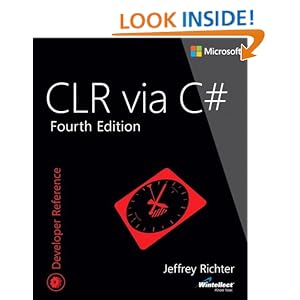
CLR via C#
 This book clearly explains the internal workings of CLR in .NET. We can learn the inner details of the concepts like memory management, threading, delegates, typing, assemblies, etc.
         Official book website: http://goo.gl/Fs822P
         Purchase online : http://goo.gl/JIW32g

C# In Depth
This book explains the C# based on each version, how the language has evolved in years & how it made developers life more easier. This book is written by Jon Skeet. (very famous in StackOverflow.com website.) He burst some of our myths about C#.
Official book website: http://goo.gl/FrH177
Purchase online : http://goo.gl/m6Pb8o

Fast ASP.NET Websites
This book explains much about improving the performance in the front end. I contains concepts like, caching, compression, bundling, minification, ET tags and some of the concepts specifically related to ASP.NET or ASP.NET MVC.
Official book website: http://goo.gl/71OtXs
Purchase online : http://goo.gl/eIp99m

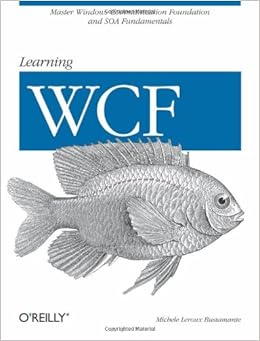
Learning WCF
This book is little outdated. But still, none of the other books explains WCF concepts like this book.
Official book website: http://goo.gl/j3swcl
Purchase online : http://goo.gl/ff1bZW

DOM Scripting
This book is mostly about the Document Object Model and Javascript. 
Official book website: http://goo.gl/CzJmvj
Purchase online : http://goo.gl/KeLWSO

The Art of Unit Testing
This book is about unit testing & test driven developement in .NET.
Official book website: http://goo.gl/P89fCm
Purchase online : http://goo.gl/VHyZxt

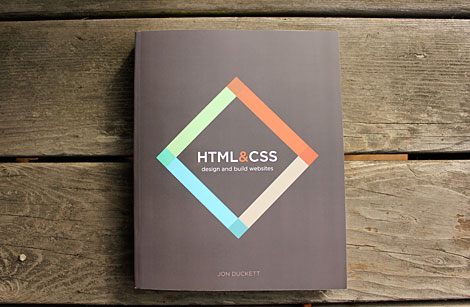
HTML & CSS
This is for absolute beginners, who wants to learn about HTML and CSS.
Official book website: http://goo.gl/PYBcJR
Purchase online : http://goo.gl/ta7iyK

HTTP Succinctly
Briefly explains the HTTP protocol. It explains, what we need to know most about HTTP.
Official book website: http://goo.gl/4vO4O4

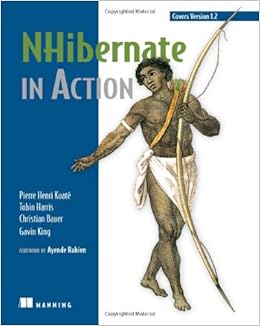
NHibernate in Action
It explains the on the very under used ORM tool, NHibernate.
Official book website: http://goo.gl/HRioBI
Purchase online : http://goo.gl/0FrDrf

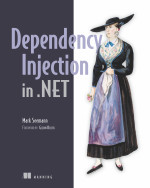
Dependency injection in .NET
It clearly Dependency injection concepts with examples in .NET platform.
Official book website: http://goo.gl/c9kWrW
Purchase online : http://goo.gl/wtPjAg

Code the hidden language of computer hardware and software   
This book is one of its kind. Explains how the code has been evaluated from Bailey, Morse code to current generation.
Official book website: http://goo.gl/SHnLsX
Purchase online : http://goo.gl/yhtH48

Producing Open Source Software
This book contains all you want to know about, open source software. How the license works, how they get funds, how do they maintain the code etc.. Soft copy is freely available on the book website.
Official book website: http://goo.gl/sI4FS7
Purchase online: http://goo.gl/pKpocx

Thursday, September 25, 2014

JQuery Validations

Code Snippet for validating the textbox, dropdownlist, and radiobuttonlist in ASP.NET page using Jquery.

To check Textbox value:

txtName is the textbox id:

if ($.trim($("#txtName").val()).length == 0) {
//Enter a name
}

To check Whether entered value is number or not:

$.isNumeric(value) method can be used to check for number

var age = $.trim($("#txtAge").val());
if ($.isNumeric(age)) {
//Entered number is Numeric
}

To check whether any radio button is checked:

rdbGender is the Radiobuttonlist id:

if ($("#rdbGender input:checked").length == 0) {
//Gender is not selected
}

To check whether any dropdownlist value is checked:

ddlQualification is the Dropdownlist id:

if ($("#ddlQualification option:selected").val() == 0) {
//Qualification is not selected
}


Total Source Code


Output Screen

Saturday, March 29, 2014

ASP.NET Page life cycle

This is some of the notes i have collected when digging more details on the page life cycle. The below points are fetched up from all over the net.

Page Life Cycle in ASP.NET

Page_PreInit
  • This is the first event raised in the ASP.NET page life cycle.
  • IsPostBack property would have bee already set by this event, so we can determine whether this is the first request or not.
  • Create or re-create dynamic controls.
  • Set a master page dynamically.
  • Set the Theme property dynamically.
  • Read or set profile property values.
  • We can not access any ViewState and PostBack data, because that data would not be loaded by this time.
  • Master page can only be set in this event or before to this event. if we try to set it in any other event, exception will be thrown.
 There are two ways to add dynamic controls in the page,
  • If there is no master page associated with the current page, then we can create dynamic controls in this event. 
  • If there is a master page associated with the current page, then we need to add controls in the Init event

Page_Init
  • This event is recursive, The Init event of individual controls occurs before the Init event of the page.
  • Create or re-create dynamic controls.
  • By using this event we can read or initialize control properties.
  • We can set the Page.ViewStateUserKey value only in this event,if we try to set it in any other event, exception will be thrown.
  • We can not access any ViewState and PostBack data, because that data would not be loaded by this time.

Page_InitComplete
  • This is the last event in the initialization.
  • Before this event TrackViewState() method would be called. So from here on wards, any changes to viewstate data will be persisted to next postbacks.
  • We can not access any ViewState and PostBack data in this event, because that data would not be loaded by this time.
  • We can use this event to change any data, that should be persisted in the next postback.

Page_PreLoad
  • This is the first event will be called after loading the ViewState and the Postback data by two methods, LoadViewState and LoadPostData respectively.
  • The purpose of the Page.PreLoad event is to provide a hook for control authors. The behavior of the load phase of the page lifecycle, is that  the Load event is raised on the page before it is raised on all its child controls. As a control author, you might want to perform some action after viewstate is loaded (so Init is too early), but before Page_Load is called (so Load is too late). How you do that is to add an event handler to Page.PreLoad.

Page_Load
  • This event is recursive, The Load event of the page occurs before the Load event of the controls.
  • We can use this event to set properties in controls and to establish database connections.

Control events
  • Use these events to handle specific control events, such as a Button control's Click event or a TextBox control's TextChanged event.

Page_LoadComplete
  • Use this event for tasks that require that all other controls on the page be loaded.
  • There may be certain situations where we need to do some processing after control event, in that case Load event will be too early, so we can use the LoadComplete event for this king of processing.When you hook up several methods to the Load event you don't know the order they will get called. So you have the PreLoad, Load and LoadComplete events to have some more control as to in what order your code gets called. The use of this might not always be clear when working only with your page class. When working with controls however, with the need to have some code running at Load time, you might want to make it run right before or right after what would normally happen in the Load event. Then you can use the PreLoad and LoadComplete methods.

Page_PreRender
  • This event is recursive, The PreRender event of the page occurs before the PreRender event of the controls.
  • Raised after the Page object has created all controls that are required in order to render the page, including child controls of composite controls.
  • Use the event to make final changes to the contents of the page or its controls before the rendering stage begins.
Page_PreRenderComplete
  • Raised after each data bound control whose DataSourceID property is set calls its DataBind method.
  • This is the last event raised before the page's view state is saved.

SaveStateComplete
  • Raised after view state and control state have been saved for the page and for all controls. Any changes to the page or controls at this point affect rendering, but the changes will not be retrieved on the next postback.

Render
  • This is not an event; instead, at this stage of processing, the Page object calls this method on each control. All ASP.NET Web server controls have a Render method that writes out the control's markup to send to the browser.

Unload
  • This event is recursive, The Unload event of individual controls occurs before the Unload event of the page.
  • In controls, use this event to do final cleanup for specific controls, such as closing control-specific database connections.For the page itself, use this event to do final cleanup work, such as closing open files and database connections, or finishing up logging or other request-specific tasks.
  • During the unload stage, the page and its controls have been rendered, so you cannot make further changes to the response stream. If you attempt to call a method such as the Response.Write method, the page will throw an exception.

Sunday, March 23, 2014

typeof

typeof is an operator, which cannot be overloaded.
Used to obtain the System.Type object for a type.
This operator uses reflection to access the metadata descriptions of the types.
There is only one System.Type object for any given type. This means that for a type T, typeof(T)==typeof(T) is always true. This type cannot be dynamic.

Synatx: typeof(type)
             typeof(unbound-type-name)
             typeof(void)

It returns the System.Type object for the specified type.

[Note: An Unbound-type-name is very similar to a type name except that an unbound-type-name contains generic-dimension-specifiers wherea type-name contains type-argument-lists.]

Examples:
typeof(int);  //System.Int32
typeof(List<int>);  //System.Collections,Generic.List'1[System.Int32]
typefo(Dictionary<,>);  //System.Collections,Generic.Dictionary'2[TKey,TValue]
typeof(void); //System.Void

   The result of typeof(void) is the System.Type object that represents the absence of a type. This special type object is useful in class libraries that allow reflection onto methods in the language, where those methods wish to have a way to represent the return type of any method, including void methods, with an instance of System.Type.

Test:
Employee objEmployee = new Employee();
System.Type t = typeof(objEmployee); //throws error, because typeof only works on types, not on variables.
System.Type t = typeof(Employee) ; //it is fine.

Thursday, April 25, 2013

Converting Csv to DataTable

Steps:
1. First, by using the File class static method ReadAllLines(path), read all the lines from the csv file  to the string array.
2. In the resulting array, first element contains the column names. using the first line, we should create the Data table columns.
3. Other than the first element, all other elements contains the row's data. Using the same we can create the data table rows.

Output

Creating Csv file from DataTable in C#

Steps:
1. Create a DataTable Schema.
2. Fill the created table with some sample data.
3. Create a StringBuilder, by appending all the data, (using comma delimiter)
    a) Create one new line with data table columns.
    b) Create one line for each data table row.
4. Save the StringBuilder to Csv file, using FileStream.

Friday, April 19, 2013

Excel Load To DataTable using OleDb in C#

Here we will try to load Excel sheet  data into the datatable using Jet engine.
First, We need to  Download and install the AccessDatabaseEngine exe from the microsoft web site.

Complete Source Code.

Friday, March 15, 2013

Split the List of objects into Batches using LINQ

There may be certain situations, When we have a number of objects in the list, but we need to split the objects into batches by batch size.

To Do that we can use LINQ, Skip and Take static methods.
Skip : Bypasses a specified number of elements in a sequence and then returns the remaining elements.
Take : Returns a specified number of contiguous elements from the start of a sequence.

Using both these static methods, we can split the list into multiple lists based on the batch size.

While writing the source code, my main intention is to just show how to split the list into batch sizes. So didn't bother about the validations, and other things. Kindly ignore those things.
  1.  First of all creating a Student Class. Which is a template to create the Student objects. ( We can use anonymous types also).
  2.  Then writing a method to create a list of objects for student class. I have just given some random data,  and creating some 23 objects.
  3.  Then writing a method to split the passed list of objects into batches, based on the passed batch size.
  4.  At last calling all the methods from the Main method.
Here i am giving the full source code.
Output:

Sunday, July 29, 2012

Print N numbers without using Loops

In some interviews we may get a question like print certain numbers without using any loops. There are many approaches to accomplish this task. Here i am giving  two of the approaches

1) With recursion 
2) With goto statement.

With Recursion

 void PrintWithRecursion(int fromNumber, int toNumber)
        {
            if (fromNumber <= toNumber)
            {
                Console.Write(fromNumber + " ");
                fromNumber++;
                PrintWithRecursion(fromNumber, toNumber);
            }
        }

With goto statement

void PrintWithGoto(int fromNumber, int toNumber)
        {
        Repeat:
            if (fromNumber <= toNumber)
            {
                Console.Write(fromNumber + " ");
                fromNumber++;
                goto Repeat;
            }
            Console.Read();
        }


Complete Source code:


output:


Thursday, June 14, 2012

Unlocker - System Utility

1) In PC, When we try to access a file or folder, some times we may get few annoying messages like below,

Cannot delete file: Access is denied
There has been a sharing violation.
The source or destination file may be in use.
The file is in use by another program or user.
Make sure the disk is not full or write-protected and that the file is not currently in use.

So, what is the main problem here, why we are unable to access these files or folders?
  Answer is these files/folders may be Locked.

To resolve these kind of issues, we have one handy utility : Unlocker,using which we can identify whether a file/folder has been locked or not, and can unlock the them.

Unlocker is an explorer extension. Once we finish with downloading and installation of Unlocker, all we need to is just right click on any of the file or folder (which we are unable to access) and select the unlocker option.

Then if the folder/file is locked, a window listing of lockers will appear.
Then we can take an appropriate action on that.
                                                     
           
  Thank you Rajesh Devabakthuni for letting me know about this utility.:)

Thursday, November 10, 2011

File copying using FTP

Normal FTP file copying process using built in classes provided System.Net NameSpace.
The code is as follows, do not forget to add System.Net namespace.

Wednesday, November 9, 2011

Swapping two integers

Swapping Two Integers using different methods.
     1) Using Temporary variable
     2) Using Arithmetic Operators
     3) Using EX-OR operator

 Here is the complete source code.

Output it as shown Below:

Tuesday, November 8, 2011

DataRowState

DataRowState : Its a state corresponding to each row in DataTable.
Consider the following scenario, we have a set of records in DB and from the User Interface we need to provide the facility for user to update any existing records or to add any new records. But, this set of changed records need to send to the DB all at once (i.e for example on a Button Click event), Till that time we need to retain all the records at our page itself. and user also have an option to cancel these changes.
So, while sending all the records to DB at once , we need to find a way to check which row is to be inserted , and which row need to be updated in DB, one option is to maaintain one more column in the table as flag, but its very difficult to maintain these flags. another option is to take the advantage of the DataRowState (if we assume records will be maitained in the DataTable). Each row will be having a State (like Added, Unchanged, Modified etc..), using this States we can easily find out which row should be saved and which row should be updated.
DataRowState is very much useful in this kind of scenarios.
First we will look at the different states present in DataRowState,
Added The row has been added to a DataRowCollection, and AcceptChanges has not been called.
Modified The row has been modified and AcceptChanges has not been called.
UnChanged The row has not changed since AcceptChanges was last called.
Detached The row has been created but is not part of any DataRowCollection. A DataRow is in this state immediately after it has been created and before it is added to a collection, or if it has been removed from a collection.
Deleted The row was deleted using the Delete method of the DataRow.
The below is the example with the all states.
The output will be as follws:
In the above output we can see that , at last the changes are canceled , but still one of the row is not exist. this is because it has got removed(not deleted). we cannot get the records back once we use Remove. but if we use Delete , still we can get our records back.

Friday, June 24, 2011

NUnit Sample Application

Steps to use NUnit

1) First download current version of NUnit here.

2) Install it in your machine.

3) Create one sample Class Library in visual studio,and name it Calculations.

4) Now, we just write some small caluculation methods like Addition and Subtracton etc..

Code(cs file) will be like this

using System;
using System.Collections.Generic;
using System.Linq;
using System.Text;

namespace Calculations
{
public class Calc
{
private int sum;
private int subtr;

public int Addition(int a, int b)
{
sum = a + b;
return sum;
}
public int Subtraction(int a, int b)
{
subtr = a - b;
return subtr;
}
static void Main(string[] args)
{
}
}
}


5) Then Create another class library, where we can write the test cases for the above methods.

Let us assume it as a NunitSampleTest.cs

a)For this Class library we need to add nunit reference.

If you have installed NUnit in C drive, You can find this reference from the below path
C:\Program Files\NUnit 2.5.10\bin\net-2.0\framework\nunit.framework.dll

b)Then we need to add Calculations referce.

Now we need to write the test cases as below

using System;
using System.Collections.Generic;
using System.Linq;
using System.Text;
using Calculations;
using NUnit.Framework;

namespace NUnitSampleTest
{
[TestFixture]
public class NUnitTestClass
{
[Test]
public void AdditionTest()
{
Calc newobj = new Calc();
int sum = newobj.Addition(20, 10);
Assert.AreEqual(30, sum);
}
[Test]
public void SubtractionTest()
{
Calc newobj = new Calc();
int subtr = newobj.Subtraction(20, 10);
Assert.AreEqual(10, subtr);
}
static void Main(string[] args)
{
}
}
}

[Note: In the above code we can find out two new attributes, i.e TestFixture and Test and one class Assert.
The TestFixture attribute is specified for the classes, When we attach this attribute to a class, the Test Runner application will scan it for test methods.
The only restrictions on classes that use the TestFixture attribute are that they must have a public default constructor (or no constructor which is the same thing).

The Test attribute marks a specific method inside a class that has already been marked as a TestFixture, as a test method.

Assertions are central to unit testing. The Assert claas provides a variety of static methods, using which we can test the result with the actual expected value.]

this all completes the codeing part

Now to test this application, we need to open NUnit UI, this we can find out at the below path
(C:\Program Files\NUnit 2.5.10\bin\net-2.0)
or
Goto start->All Programs ->NUnit 2.5.10


The window will be like as shown below


Now Goto File->open Project , then Go to the path and click on the NunitSampleTest.Dll


It will open the methods as shown below..


so right click on the individual methods or whole class and click on Run


If all the test cases are passed successfully, then we can see the green color Line as shown below


But if get Red color line, then it means TestCase is failed.


The above figure indicates that we have an issue in Subtraction Method..


Note: To Make things simpler we have hard coded the values in the TestCase methods.
Rather than hard coding the values, we can create one seperate class with values and can pass them to respective methods.